
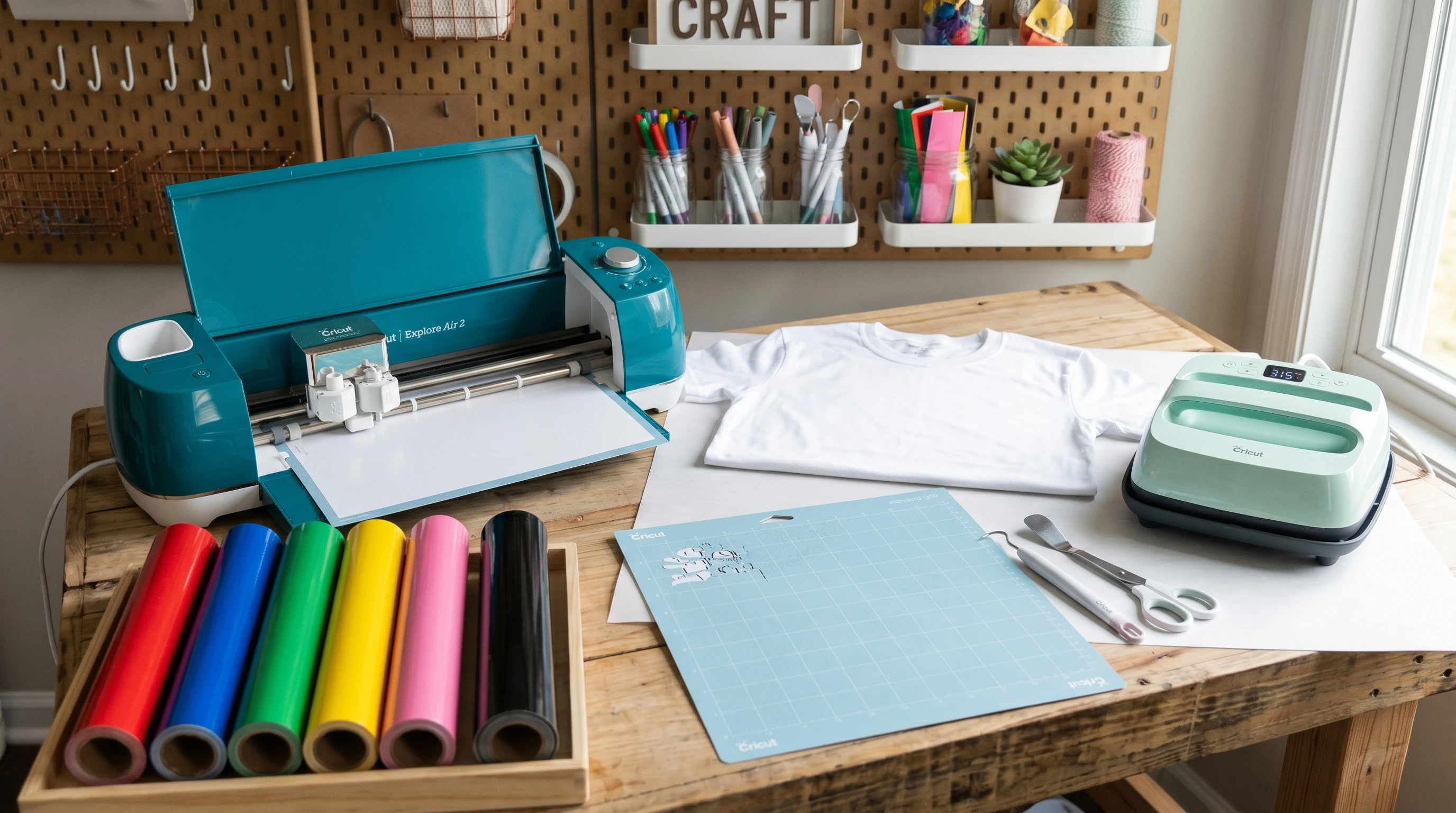
 Designing custom t-shirts at home with a Cricut machine is one of my favorite ways to get creative. Over the years, I’ve learned that having the right materials on hand can make the process easier, more enjoyable, and produce better results. If you’re planning to start your own DIY t-shirt projects with a Cricut, knowing what you need before you begin helps avoid mistakes and saves you time.
At first, I struggled with wasted vinyl, poorly stuck designs, and colors not turning out as I’d hoped. But after a bit of practice and research, I figured out what materials work best and which ones to avoid. In this guide, I’ll walk you through the list of materials you’ll need for Cricut t-shirt design, why each one matters, and a few beginner-friendly tips I wish I knew at the start. Plus, I’ll give you a handful of troubleshooting tips to take your projects up a notch if anything doesn’t turn out as expected.
Choosing the Right T-Shirts for Cricut Projects
The t-shirt itself is the foundation for your project. I choose shirts made mostly of cotton or cottonpoly blends. Pure cotton holds iron-on vinyl (also called HTV; heat transfer vinyl) really well and feels comfortable to wear. If you like softer shirts, triblend tees (cotton, polyester, and rayon) are a good option, but I recommend testing a small area first because vinyl may adhere differently than it does on 100% cotton.
- Cotton shirts – Classic for everyday wear and offer a smooth surface for vinyl application.
- Cottonpoly blend shirts – Hold up well to frequent washing and often shrink less than all cotton shirts.
- Darker shirts – For dark fabrics, I use bright or white vinyl. For light shirts, almost any color will pop.
After trying several brands, I stick with Gildan, Bella+Canvas, and Hanes for consistent results. Washing the shirt before applying vinyl helps avoid shrinking after you’ve finished your design. New t-shirts might also have a coating from manufacturing, so it’s a good idea to wash and dry them first so your vinyl sticks as long as possible.
Vinyl Selection for Cricut T-Shirt Design
The most popular choice for t-shirt designs is heat transfer vinyl (HTV). This type of vinyl comes in many colors, finishes, and specialty textures, such as glitter, metallic, or flocked. For my first few projects, I used regular smooth HTV since it’s easy to weed (remove the excess) and sticks well to most shirts.
Types of Vinyl I Use
- Smooth HTV – Ideal for beginners. Easy to cut, weed, and apply.
- Glitter HTV – Perfect when I want a sparkly effect. Glitter vinyl is a little thicker, so I use more firm, even pressure during transfer.
- Printed Pattern HTV – Great for eye-catching designs or adding dimension, although I’ve noticed some require different temperature settings.
- Stretch HTV – Works on shirts that need to flex a lot, like athletic wear.
Each brand labels temperature and timing guides, which I follow closely for best results. Cricut’s own Everyday Iron-On is reliable, but Siser EasyWeed and ThermoFlex Plus are also favorites. Try a few brands and see which feels easiest to use for you, especially if you tend to make complex designs—some HTVs are simply easier to weed, which can be a huge relief on detailed projects.
Essential Cricut Tools and Accessories
While the Cricut machine is the main tool, there are a few basic accessories I always keep nearby for successful t-shirt projects.
- Cricut cutting mat – I use the green StandardGrip mat for most types of vinyl. It holds the material in place while being easy to peel away after cutting.
- Weeding tool – This is like a small metal pick. It helps me lift away extra vinyl from detailed designs without tearing them.
- Scraper tool – I use the scraper to flatten the vinyl on my mat before cutting and to remove debris from the mat after I’m done.
- Finepoint blade – Comes standard with Cricut machines and handles most vinyls without trouble.
- Heatresistant tape (optional) – For layered or tricky placements, this tape keeps vinyl from sliding around while pressing.
These tools seem simple, but they make a really big difference, especially on projects with lots of tiny details. After my first few projects, I even added a pair of precision scissors and some tweezers to my tool kit for snagging really small bits of vinyl.
Transfer and Heat Application Materials
Applying vinyl to a t-shirt requires heat and pressure. While I started out using a regular iron, switching to a heat press or the Cricut EasyPress made my results more consistent. Here’s a look at what I use now.
- Cricut EasyPress or heat press – Heats evenly and lets me set the temperature and timer so I don’t over or under-press the design.
- Household iron – Works in a pinch, but I always make sure to press firmly and avoid moving the iron too much to prevent vinyl from sliding.
- Parchment paper or Teflon sheet – Placed between the heat press or iron and the vinyl, it stops the vinyl from melting or sticking to the device.
- Pressing mat or folded towel – Provides a firm, heat-safe surface to press the shirt on. My table isn’t heatproof, so a thick towel works as a buffer underneath.
Double-checking timing, pressure, and temperature is really important for the vinyl to stick and last through washes. If you’re ever unsure about the right temperature for a new vinyl, start on the lower side and do a test press; you can always increase the temperature, but you can’t un-melt vinyl!
Preparing and Cutting Your Design
The success of a Cricut t-shirt project depends a lot on your preparation. I spend time planning my design in Cricut Design Space (the software that comes with the machine) before I ever cut a thing. Here’s how I approach the prep and cutting:
- Design software (Cricut Design Space) – Lets me size, mirror, and tweak my design before cutting. I always mirror the design before cutting HTV so the final image appears correctly on the shirt.
- Test cut – I cut a tiny star or square in a corner of my vinyl. This quick step tells me if my blade and settings will work for the whole project.
Taking a little time up front saves me wasted materials and frustration later on. When prepping for layered designs, I lay out all my vinyl pieces beforehand to double-check colors and placement, which cuts down on mistakes when applying.
Laundry and Care Instructions
Caring for finished shirts properly makes your designs last longer. I always wait at least 24 hours before the first wash so the vinyl sets properly. When washing, I flip the shirt inside out and use cold water on a gentle cycle. I avoid bleach, fabric softener, and never put freshly pressed shirts straight in a hot dryer; air drying or using low heat works best.
- Wait time – Allow at least 24 hours before wearing or washing newly pressed shirts.
- Washing instructions – Turn shirts inside out, wash with cold water, and avoid harsh detergents.
- Drying tips – Air dry when possible or use low heat in the dryer to help prevent edges from peeling up over time.
If your vinyl ever starts to peel up a little after a wash, placing a piece of parchment paper over it and giving it another short press can help re-activate the adhesive and smooth down rough edges.
Common Questions and Simple Solutions
Can I use regular adhesive vinyl on t-shirts?
Adhesive vinyl is meant for hard surfaces, like mugs or glass. It will not stick well to fabric and will peel off after washing. Always use heat transfer vinyl (HTV) for t-shirts.
How can I stop my vinyl from peeling after washing?
- I make sure to use the recommended time, temperature, and pressure when pressing.
- Ironing the shirt inside out for a few seconds after washing can help reseal small edges if needed.
My Cricut isn’t cutting through the vinyl cleanly. What am I doing wrong?
Usually, the blade is dull or the settings are off. I try a new blade, slow down the cutting speed, or increase the pressure in the settings until I get smooth, complete cuts. Sometimes, giving the mat a gentle cleaning before laying down fresh vinyl helps as well—dust or residue on the mat can lead to stuck or torn vinyl, which just slows down the whole process.
Final Thoughts and Getting Started
Designing t-shirts with a Cricut doesn’t have to feel overwhelming. When I have the right tools and know which vinyl and shirts to choose, the whole process feels straightforward. Every project teaches me something new, and small upgrades in materials or equipment always seem to pay off in higher-quality shirts. My advice is to experiment, track down new vinyl types or shirt brands, and don’t get discouraged if the first try isn’t perfect—each attempt is a chance to learn something new for the next project.
Your Cricut T-Shirt Checklist
- Pick comfortable, high-quality cotton or cottonblend t-shirts.
- Use heat transfer vinyl suited to your design and fabric type.
- Keep basic tools nearby: Cricut mat, weeding tool, scraper, finepoint blade, and maybe some tweezers or scissors.
- Set up a safe place to apply heat, using a heat press or iron, and always protect your surfaces and the vinyl with parchment or a Teflon sheet.
- Follow wash guidelines to keep your shirts looking new.
What kind of design will you try first? Let me know how your project goes or share your best tips for Cricut t-shirt making down below. If you stumble upon any helpful tricks or spot a great new material, I’d love to hear your updates. Happy crafting!
Another helpful article that may help is Choosing a design for Cricut T shirts.